Minecraft 26.3 Snapshot 7: Concrete Stairs & Slabs Are Finally Here
Builders have asked for this for years. Snapshot 7 ships concrete stairs and slabs in all 16 colors — plus a pile of new explorer maps tucked into abandoned camps.
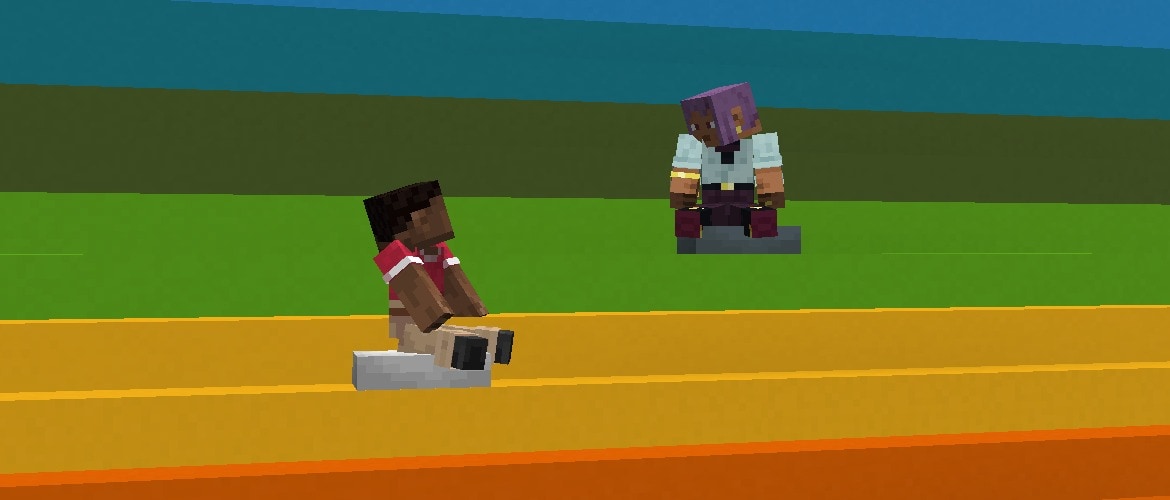
Official art via Mojang — rainbow concrete stairs with cushions. Source: Minecraft 26.3 Snapshot 7.
Headline feature: concrete stairs + concrete slabs for every dyed concrete block. Craft them the normal stair / slab way from full concrete — Creative inventory has them too.
Concrete stairs and slabs — yes, really
For a long time, concrete was the clean modern building block that stopped at… full cubes. Wanted a rainbow staircase, a stadium terrace, or a thin colorful roof edge? You faked it with other blocks or lived with chunky steps.
26.3 Snapshot 7 adds Concrete Stairs and Concrete Slabs for all Concrete blocks — every dye color. That pairs beautifully with the 26.3 drop’s wool stairs/slabs and poplar set: soft pastel interiors, sharp city builds, and proper detail work without quitting concrete for terracotta mid-build.
- Same stair recipe shape as other stairs (six concrete → four stairs)
- Same slab recipe (three concrete → six slabs)
- Datapack tags:
#concrete_stairsand#concrete_slabs(blocks and items)
If you’re planning a big colorful base in a test world, this is the snapshot to open Creative and spam every hue on a staircase — Mojang’s own hero art basically is that joke made real.
Explorer maps in abandoned camps
Abandoned camps (new in the 26.3 cycle) now drop explorer maps pointing to other camps and to classic structures. Great for explorers who want a trail instead of F3 spam.
Camp maps (other biomes)
Maps that lead to abandoned camps in:
- Bamboo Jungle
- Cherry Grove
- Birch Forest
- Dappled Forest
- Flower Forest
- Pale Garden
- Swamp
- Windswept Forest
Structure maps
- Ancient City
- Trial Chambers
- Mineshaft
- Desert Pyramid
- Jungle Pyramid
- Warm Ocean Ruins
- Woodland Mansion
Camp loot also got a pass: abandoned camp barrel loot updated, and camp chest fireworks were replaced with gunpowder.
Hunting structures on a known seed? Pair this with our Java seed map or Bedrock seed map.
Explorer maps are their own items
Big quality-of-life (and datapack) change: explorer maps are no longer renamed filled maps. Each type has its own item and icon — ocean, woodland, trial, jungle, swamp, village variants, buried treasure, ancient city, mineshaft, desert pyramid, abandoned campsite, warm ocean ruins, and more. Empty Map and Map got new icons too.
- Old explorer maps in existing worlds convert on load
- You can still clone them in a crafting table; copies keep the map type
- No more zooming out explorer maps or buried treasure maps (crafting table or cartography table) — only items in
#minecraft:extendable_mapscan be zoomed - These special maps aren’t in the Creative inventory as free grab-bag items
Your map marker also always shows which way you’re facing — small change, huge when you’re mid-trek.
Other changes
- Cushions no longer block vibrations when placed, broken, or interacted with (sculk / wardens notice again)
- Realms prep for extra server regions later: Canada, Mexico, South Africa, and Arizona, USA
- Lots of bugfixes — cushions, spears, macOS key labels, abandoned camp structures, Vulkan, and more
For pack makers & map makers
- Data pack version 115.0
- Resource pack version 95.0
level.datgains aversion_historylist- Block state fields:
Name→id,Properties→properties minecraft:swing_animationreplaced byattack_animation/interact_animation;map_colorremovedexploration_maploot no longer swaps the item type — pick the explorer map item yourself
Testing a Java resource pack against the new format? Use our texture pack maker. For Bedrock .mcpack exports, see the Bedrock pack maker.
How to play Snapshot 7
- Open the Minecraft Launcher
- Installations → enable Snapshots
- Create or edit an installation and pick 26.3 Snapshot 7 (shown as
26.3-snapshot-7in the launcher) - Play in a new world or a backed-up copy — snapshots can corrupt saves
Official notes: minecraft.net — Minecraft 26.3 Snapshot 7. Report bugs on the Mojang issue tracker.